


How to do Bulk Export Import in PostgreSQL (pg_dump)

Certifications:

- How do we use pgvector in PostgreSQL for AI and Vector Search? - 26 October 2026
- How to enable Native Steaming Replication in PostgreSQL - 19 October 2026
- How to Partition an Existing Table in PostgreSQL and How to Maintain It - 12 October 2026
Those of us who come from the world of Oracle and Data Pump (expdp/impdp), in this article we will look at the corresponding PostgreSQL tools pg_dump and pg_restoreThese tools allow us to run these processes with parallel threads, individual schemas and tables while avoiding typical pitfalls such as Primary Key violations.
Let's look at some practical scenarios in a real environment.
Bulk Export (pg_dump)
To take backups, we use the appropriate parameters depending on whether we want parallelism or targeted export.
Full Export with Parallelism (Directory)
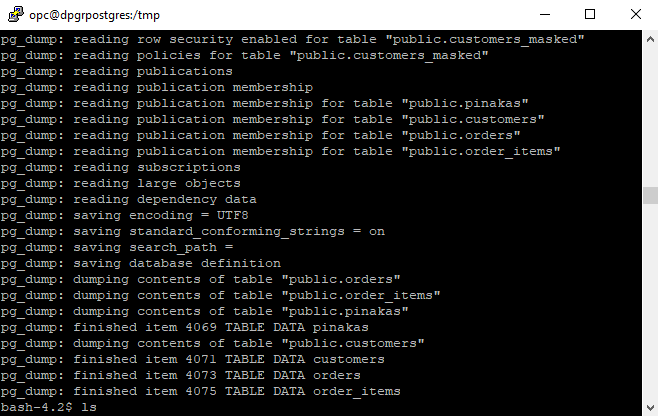
When we want to take advantage of multiple CPU threads -j To quickly retrieve an entire database, PostgreSQL requires only the directory format (-F d):
pg_dump -U postgres -d db_test -F d -b -v -j 4 -f /tmp/backup_dir/
-F d: Creates a folder (attention: it must not exist previously) where the backup tracks are written in parallel.-b: Includes Large Objects (BLOB).-v: Activates verbose mode to see the progress live.
Export of a specific Schema
If we want to isolate the entire schema public in a compressed custom file (-F c):
pg_dump -U postgres -d db_test -n public -F c -v -f /tmp/backup_dir/public.dump
-n public: Limits the export exclusively to the objects of the specific schema.
Export of a specific Table
To isolate just one table (e.g. the public.customers):
pg_dump -U postgres -d db_test -t public.customers -F c -v -f /tmp/backup_dir/table_customers.dump
-t public.customers: Targets the specific table exclusively.
Content Control (Listing)
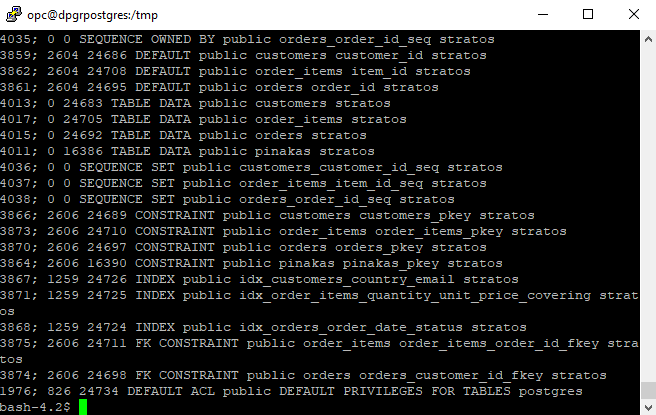
Before proceeding with any restore, we can check what exactly a compressed dump file contains without restoring it, using the parameter -l (list):
pg_restore -l /tmp/backup_dir/public.dump
This command prints the entire Table of Contents (TOC) with the objects, indexes, and views stored within the file.
Bulk Import (pg_restore)
When importing, the biggest issue we often encounter is duplicate records (duplicate key value violates unique constraint) if the destination tables already contain data. Using the parameters --clean and --if-exists, we ensure that objects are cleaned before being recreated.
Full Import with Parallelism from Directory
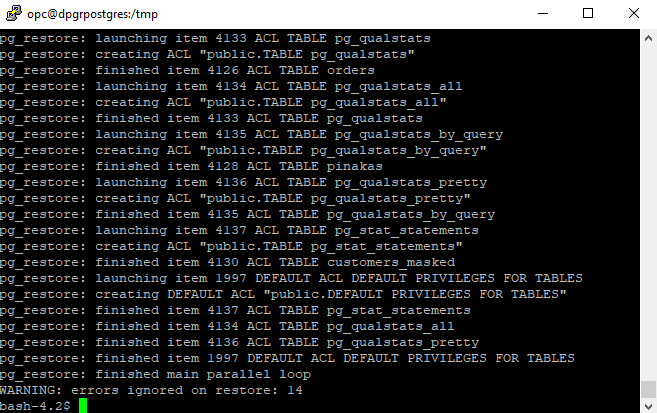
The following command restores the entire folder in parallel (-j 4), cleaning out old items (--clean):
pg_restore -U postgres -d db_test -F d --clean --if-exists -v -j 4 /tmp/backup_dir/
Import a specific Schema
The following command safely restores only the schema public, deleting any conflicting objects that already existed:
pg_restore -U postgres -d db_test -n public --clean --if-exists -v /tmp/backup_dir/public.dump
Import a specific Table from Directory (-F d)
When from a huge full backup we want to recover only a specific table (-t customers), clearing the previous one if it existed, we run the following command:
pg_restore -U postgres -d db_test -t customers -F d --clean --if-exists -v /tmp/backup_dir/
Import a specific Table from a Custom File (-F c)
Accordingly, if we have exported only a single table to a custom compressed file (-F c), we restore it specifically by declaring the format and taking care of the cleaning (--clean) to avoid data conflicts:
pg_restore -U postgres -d db_test -t customers -F c --clean --if-exists -v /tmp/backup_dir/table_customers.dump