


How to enable Native Steaming Replication in PostgreSQL


Certifications:

When managing critical databases, High Availability and Disaster Recovery are a must. But before we look at complex replication tools, it's worth seeing how native works directly. Physical Streaming Replication of PostgreSQL with a Primary and one Standby server. In this article we will see a step by step guide with the entire process for PostgreSQL 14 on Oracle Linux.
The installation
First we add the necessary configuration to Primary Node.
We open it postgresql.conf and set the following settings:
sudo -u postgres vi $PGDATA/postgresql.conf
listen_addresses = '*'
wal_level = replica
wal_log_hints = on
max_wal_senders = 10
wal_keep_size = 1024
archive_mode = on
#hot_standby = on #uncomment for read only replica.
We add login permission for the replication user to pg_hba.conf:
sudo -u postgres vi $PGDATA/pg_hba.conf
# TYPE  DATABASE        USER            ADDRESS                 METHOD
host    replication     replicator      10.0.0.206/32            md5
host    replication     replicator      10.0.0.9/32            md5
Next we create the replication user:
CREATE ROLE replicator WITH REPLICATION LOGIN ENCRYPTED PASSWORD 'password';
Then we restart PostgreSQL in Primary:
sudo systemctl restart postgresql-14
Creating the Clone on Standby
Before replication begins, the Standby should get one Backup of Primary.
First we need to stop PostgreSQL if it is already running:
sudo systemctl stop postgresql-14
Then with the user postgres we clear the Standby data folder and run pg_basebackup getting the data directly from Primary:
su postgres
rm -rf /var/lib/pgsql/14/data/*
pg_basebackup -h 10.0.0.9 -U replicator -D $PGDATA -P -R
Then we start the Standby:
sudo systemctl start postgresql-14
To confirm that everything is working properly, we run the following query from the Primary:
SELECT client_addr, state, sync_state FROM pg_stat_replication;
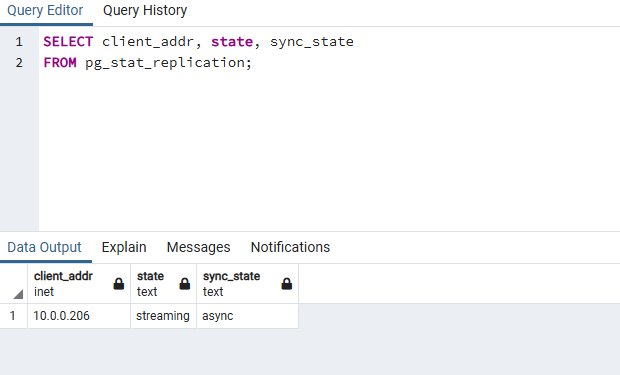
If we see the status to be streaming, means that physical replication is working and the Standby follows the Primary in real time.
How to do Manual Switchover without repmgr
In simple Streaming Replication without repmgr, the switchover It is not done with a magic button, but by following a specific sequence of actions:
Let's look at the steps step by step.
First we stop the Primary to avoid having Split-Brain:
sudo systemctl stop postgresql-14
Then we promote the Standby to a new Primary:
su postgres
pg_ctl -D /var/lib/pgsql/14/data promote
Finally we will have to recreate with pg_basebackup full re-clone of the old Standby to the old Primary so that this is now the healthy Standby.
In a next article we will see how we automate the switchover process with a single command using the tool repmgr.