


How to upgrade PostgreSQL to a newer version


Certifications:

- How to upgrade PostgreSQL to a newer version - 23 September 2026
- How to maintain Indexes and Statistics in a PostgreSQL database - 18 September 2026
- How to enable Data Masking in PostgreSQL - 16 September 2026
Migrating PostgreSQL from an older version to a newer one is a critical maintenance process that requires care to ensure data integrity. In this article, we will walk you through the steps to smoothly upgrade a database from PostgreSQL 11 to PostgreSQL 14 using the official tool. pg_upgrade.
Preparation and Installation
First, we proceed to install the necessary server and contrib packages of the new version on the system and initialize the new data directory:
sudo yum install -y postgresql14-server postgresql14-contrib
sudo /usr/pgsql-14/bin/postgresql-14-setup initdb
Before proceeding with any transfer or control action, it is necessary to ensure that the current database is completely inactive by stopping the version 11 service:
sudo systemctl stop postgresql-11
Compatibility Check (Dry Run)
We move to the postgres working directory and execute pg_upgrade accompanied by the parameter --checkIn this way, the tool performs a simulation to identify any incompatibilities, missing extensions or security labels that may hinder the process:
su postgres
cd /var/lib/pgsql
/usr/pgsql-14/bin/pg_upgrade \
  --old-bindir=/usr/pgsql-11/bin \
  --new-bindir=/usr/pgsql-14/bin \
  --old-datadir=/var/lib/pgsql/11/data \
  --new-datadir=/var/lib/pgsql/14/data \
  --check
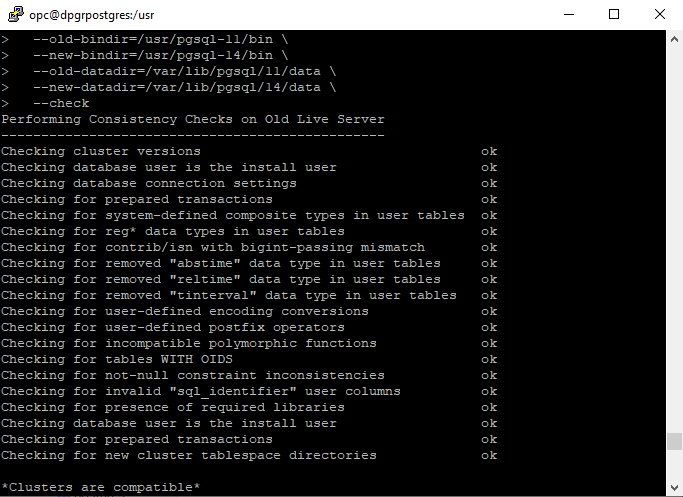
It is common for them to burst during testing. extensions that have not been installed in the latest version as well as users who use them, e.g. with security label but also tables that have them, e.g. for data masking.
Performing the Upgrade
Once the preventive check is completed successfully and there are no errors, we proceed to the normal execution of the upgrade by removing the --check:
cd /var/lib/pgsql
/usr/pgsql-14/bin/pg_upgrade \
  --old-bindir=/usr/pgsql-11/bin \
  --new-bindir=/usr/pgsql-14/bin \
  --old-datadir=/var/lib/pgsql/11/data \
  --new-datadir=/var/lib/pgsql/14/data
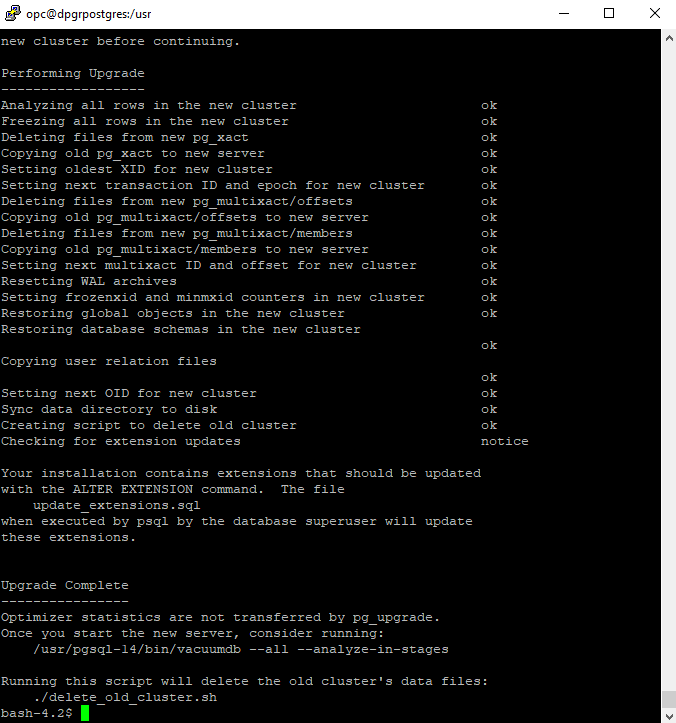
In case any unexpected issue arises during the process, we can examine the log with the command:
tail -n 30 pg_upgrade_utility.log
Activating the new Version
Once the process is complete, we activate and start the new PostgreSQL 14:
sudo systemctl enable postgresql14
sudo systemctl start postgresql14
Next, we perform the statistics refresh process:
/usr/pgsql-14/bin/vacuumdb --all --analyze-in-stages
Cleaning Old Data
After confirming that everything is working perfectly and our applications are connecting normally to the new database, we can permanently delete the old version files to free up disk space:
./delete_old_cluster.sh