


What do I do when Oracle Grid Cluster Services (CRS) won't start as system file permissions have been lost


Certifications:

- How to enable Object and Session level Auditing in PostgreSQL - 28 September 2026
- How to upgrade PostgreSQL to a newer version - 23 September 2026
- How to maintain Indexes and Statistics in a PostgreSQL database - 18 September 2026
In this article we will see what to do when one of the Oracle Cluster servers/nodes shows an error and the Cluster Services (CRS) do not start.
The symptom
When we go to start Cluster Services (CRS):
su root

crsctl start crs
It gives us the following error and won't boot:
CRS-4563: Insufficient user privileges.
CRS-4000: Command Start failed, or completed with errors.
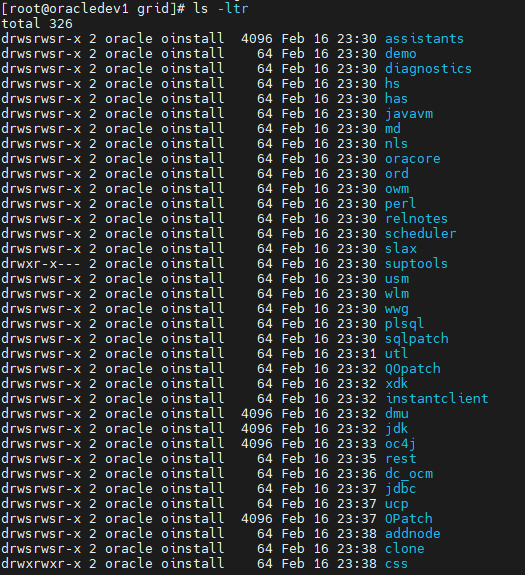
If we go to GRID_HOME installed we see that all files have the same owner and permissions, which doesn't seem right:
cd $GRID_HOME

ls -ltr
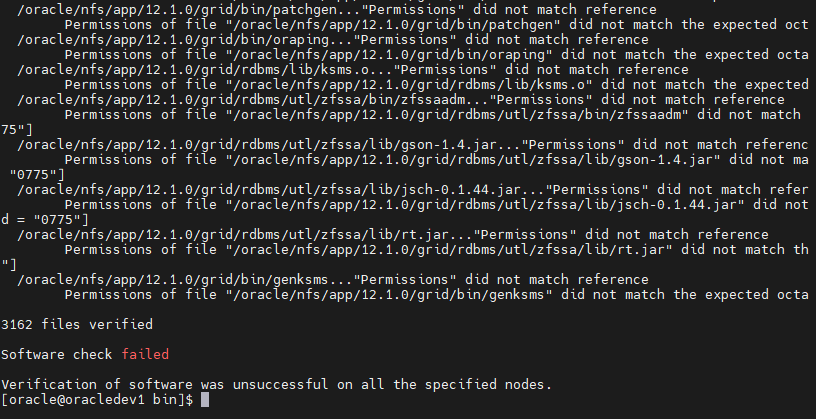
If we go and run it cluvfy (with the oracle or grid user) to check the installation:
su oracle
cd $GRID_HOME/bin

./cluvfy comp software -n all -verbose
We will see that too many files have wrong permissions:
How is the problem made?
First we check if any Cluster service (CRS) is up:
su root
cd $GRID_HOME/bin

./crsctl check crs
If we see that something is still running, stop CRS:
./crsctl stop crs
If we have a Cluster with Grid Infrastructure 12c and then run the following as root user:
su root
cd $GRID_HOME/crs/install

./rootcrs.sh -init
If we have Standalone Grid Infrastructure 12c and then run the following as root user:
su root
cd $GRID_HOME/crs/install

./roothas.sh -init
If we have a Cluster with Grid Infrastructure up to 11.2 we run the following with root user:
su root
cd $GRID_HOME/crs/install

./rootcrs.pl -init
If we have Standalone Grid Infrastructure up to 11.2 we run the following with root user:
su root
cd $GRID_HOME/crs/install

./roothas.pl  -init
After the execution is complete, we check the permissions again:
cd $GRID_HOME/bin

ls -ltr
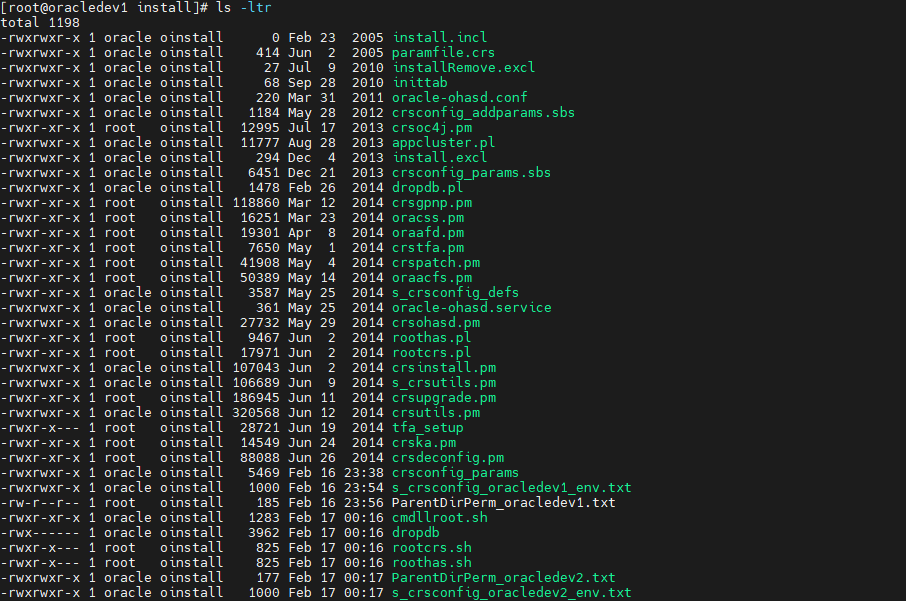
Now the permissions seem to have changed so we can try to bring up the Cluster (CRS):
crsctl start crs
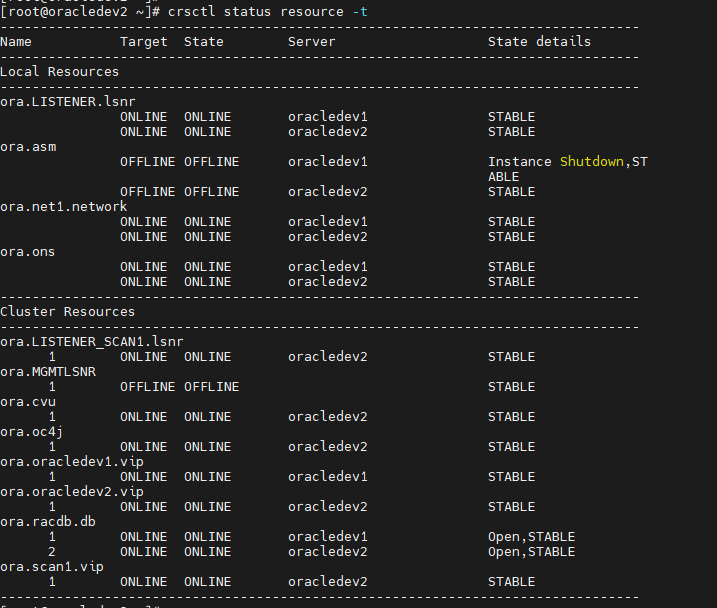
CRS-4123: Oracle High Availability Services has been started.And after some time we can test if all the resources are up:
crsctl status resource -t
If the database resource is not up, run the following with the oracle user:
su oracle

srvctl start database -d dbname